The Torq REST API allows you to programmatically manage resources such as workflows, users, and secrets from outside the Torq platform.
API requests
All requests are made to the workspace where the API key was created. If you are active on multiple workspaces, make sure you're using the key for the correct workspace.
When would this make a difference? Let's say you want to send the Invite a single user request. The user will be invited to the workspace where the API key that was used in the request was created.
Rate limiting
Torq API supports a maximum of 50 requests per second.
Date/time
All times and timestamps are in RFC 3339 format: yyyy-MM-ddTHH:mm:ss.SSSZ
For example, March 9, 2022 8:40 AM would be: 2022-03-09T08:40:18.490771179Z
Domains
Every request URL combines your region's base URL with the endpoint path shown on each endpoint page. For example, the List audit logs path is /v1alpha/audit_logs, so the US request URL is https://api.torq.io/public/v1alpha/audit_logs.
| Domain | Torq region | Base URL |
|---|---|---|
| torq.io | US | api.torq.io/public |
| eu.torq.io | EU | api.eu.torq.io/public |
| jp.torq.io | JP | api.jp.torq.io/public |
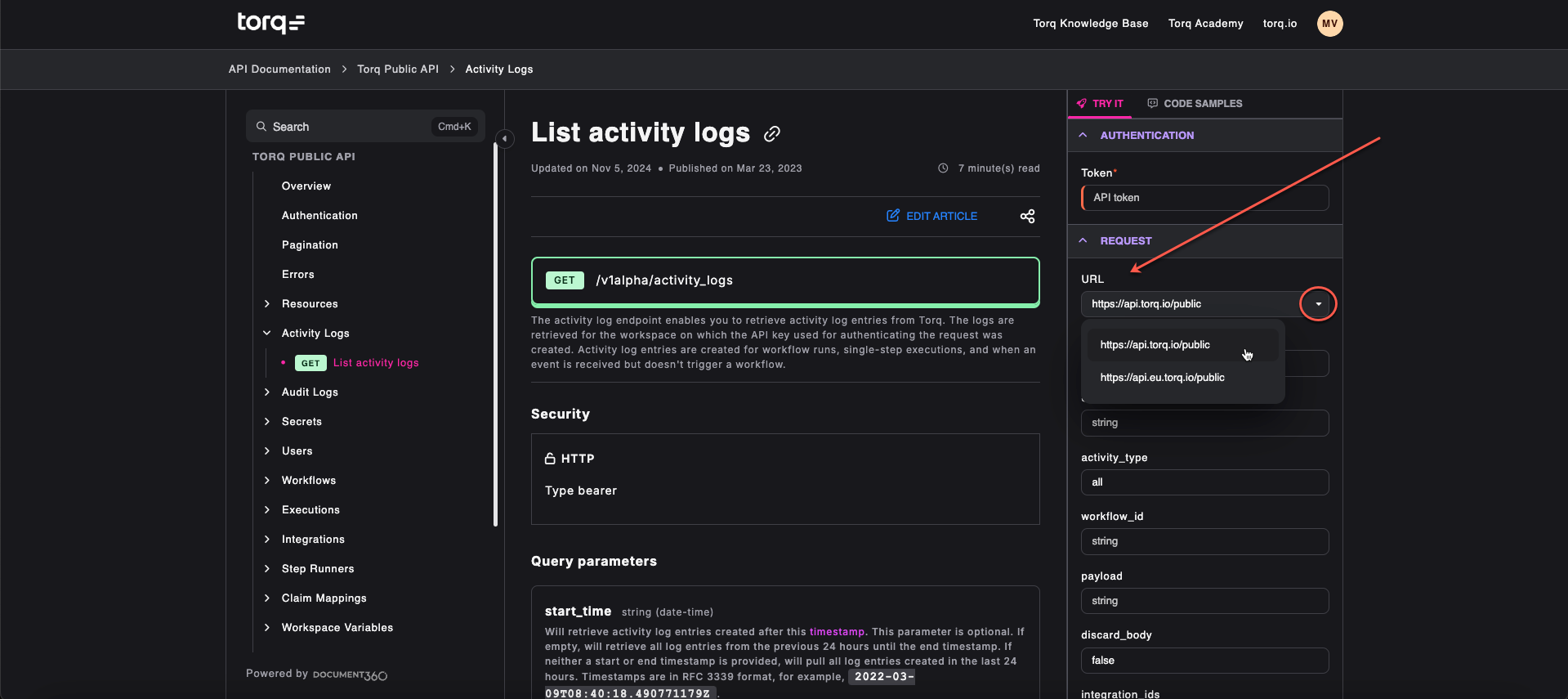
Include /public in every request URL. Requests without it don't reach the public API, so they don't return the responses documented in this reference. The token request in Authentication is the exception.